

If you’ve ever opened Google Analytics or Google Search Console and immediately felt overwhelmed, you’re not alone. Both tools are incredibly powerful, but for beginners, they can feel cluttered, technical, and difficult to interpret.
The key thing to remember is this: you don’t need to understand or track everything. Most businesses only need to focus on a small number of metrics to understand whether their website and SEO efforts are actually working.
This guide breaks down the numbers that really matter, focusing specifically on Google Analytics and Google Search Console, and explains when each tool is most useful.
Google Analytics vs Google Search Console: What Each Tool Is Really For
Although they’re often grouped together, Google Analytics and Google Search Console do very different jobs.
- Google Analytics helps you understand how people behave once they’re on your website
- Google Search Console helps you understand how your website appears and performs in Google search results
If your goal is improving user experience, lead generation, or conversions, Google Analytics is essential. If your focus is SEO and organic growth, Search Console often provides clearer and more actionable insights.
For most businesses, using both together gives the best results.
Google Analytics: Measuring What Happens on Your Website
Google Analytics focuses on user behaviour. In simple terms, it shows what visitors do after they land on your site.
Users and Sessions
This is usually the first thing people look at — how many visitors the website is receiving.
- Users represent individual people
- Sessions represent visits (one user can visit multiple times)
Rather than checking this daily, it’s more useful to look at trends over time. A gradual increase in users can indicate successful SEO or marketing efforts, while sudden drops may highlight technical or content issues.
Traffic Sources
Traffic sources show how users arrive at your website, such as:
- Organic search
- Paid advertising
- Social media
- Direct traffic
- Referral websites
This is helpful for understanding where your visibility is coming from, but it’s worth noting that organic traffic in Analytics can sometimes feel unclear when mixed with other channels. This is where Search Console often offers more focused SEO insights.
Engagement Metrics
Engagement metrics help answer an important question: are visitors actually interested in your website?
Key engagement indicators include:
- Engagement rate
- Time spent on pages
- Pages viewed per session
Low engagement may suggest:
- Content doesn’t match user intent
- Pages load slowly
- Navigation is confusing
High engagement usually means users are finding what they need and exploring further.
Conversions
Conversions are where analytics becomes truly valuable.
A conversion could be:
- A contact form submission
- A phone call
- A newsletter sign-up
- A purchase or booking
Tracking conversions allows you to connect website traffic with real business outcomes, helping you understand which pages and channels are actually driving results.
Google Search Console: A Clearer Picture of SEO Performance
Google Search Console is often underused, despite being one of the most useful tools for understanding SEO.
Unlike Google Analytics, Search Console focuses only on organic search traffic, making it easier to see how your website is performing in Google without other channels muddying the data.
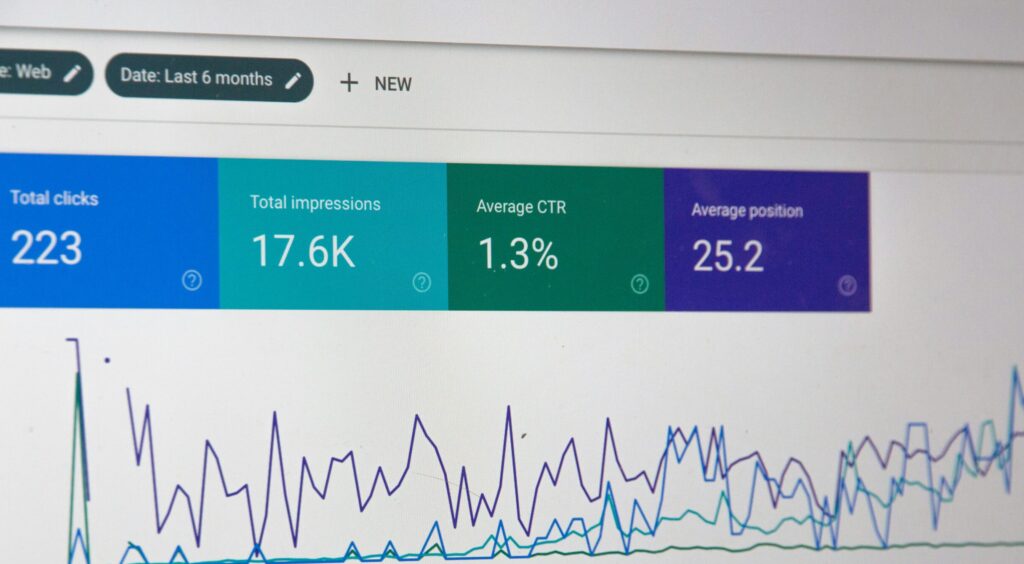
Clicks
Clicks show how many people clicked your website from Google search results.
This is one of the clearest indicators of SEO performance because it shows real user action — not just visibility.
A rise in clicks usually suggests improvements in rankings, relevance, or how appealing your search listings are.
Impressions
Impressions show how often your website appeared in search results, even if no one clicked.
While impressions don’t directly drive traffic, they’re a strong indicator that:
- Your site is being recognised by Google
- Pages are starting to rank for more keywords
Increasing impressions over time is often the first sign that SEO work is paying off.
Average Position
Average position shows where your website typically appears in search results.
While it shouldn’t be viewed in isolation, it’s useful for:
- Tracking progress over time
- Comparing page performance
- Identifying pages close to page one
Small improvements in position can lead to significant increases in clicks.
Search Queries
Search queries reveal the actual keywords people use to find your website.
This insight is incredibly valuable because it helps you:
- Optimise existing content
- Identify new content opportunities
- Understand user intent
- Improve titles and meta descriptions
For SEO-focused businesses, this is often the most powerful feature in Search Console.
Why Google Search Console Can Be Better for SEO (But Not Always)
For businesses focused on organic growth, Google Search Console can sometimes be more useful than Google Analytics, particularly in the early stages of SEO.
That’s because it:
- Focuses solely on organic traffic
- Shows keyword-level data
- Directly reflects search visibility and rankings
However, this is very much a case-by-case basis. Search Console doesn’t show what users do after they land on your site — which is why Google Analytics is still essential for understanding engagement and conversions.
Using Both Tools Together
The most effective approach is using both tools side by side:
- Search Console shows how users find your site
- Google Analytics shows what they do once they arrive
Together, they provide a full picture of performance — from search visibility to meaningful actions.
Analytics doesn’t need to be complicated. By focusing on a small number of meaningful metrics, you can gain real insight into your website’s performance without feeling overwhelmed.
If you’re unsure which numbers matter most for your business — or you’d like help turning data into action — VOVO Digital can help.
We use Google Analytics and Google Search Console to deliver clear, practical insights that support smarter decisions and long-term growth.